
Ubuntu eee: Youtube video problem
In Ubuntu eee 8.04 for Asus EeePC 900/901 (‘Easy Peasy‘) there is a problem when trying to look at Youtube videos. Almost all videos gives a message saying that it is not currently available.
The problem is the flash player included in the Ubuntu eee installation. To resolve the problem:
- Try do uninstall ‘flashplugin-nonfreebeta’ using the Synaptics package manager.
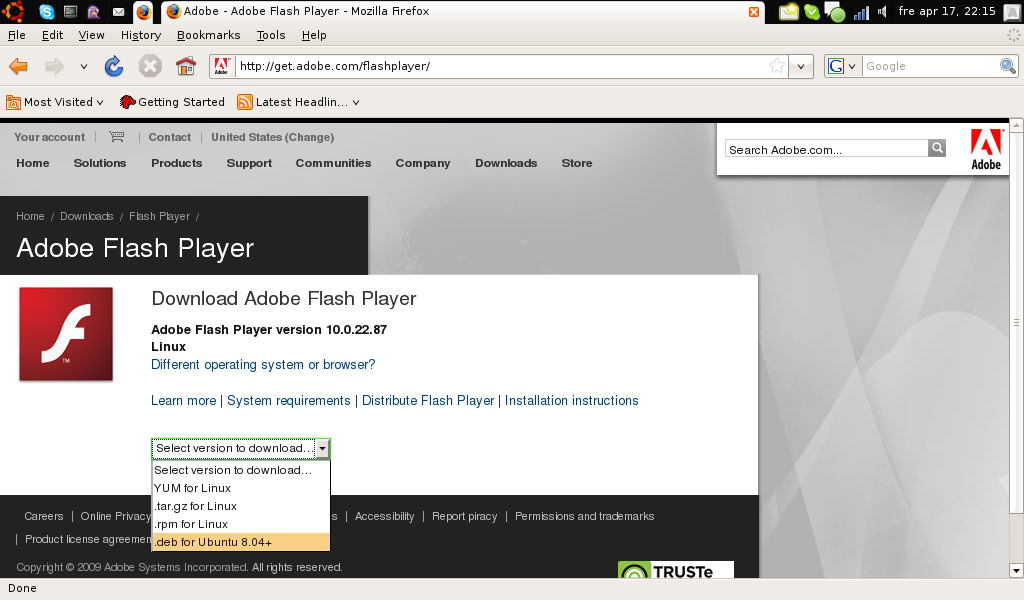
- Go to http://get.adobe.com/flashplayer, download and install the latest flash player for Ubuntu 8.04.
- Restart Firefox.
Leave a Reply
Want to join the discussion?Feel free to contribute!